June 30 2026: Changelog
Refund invoices from the Payments App
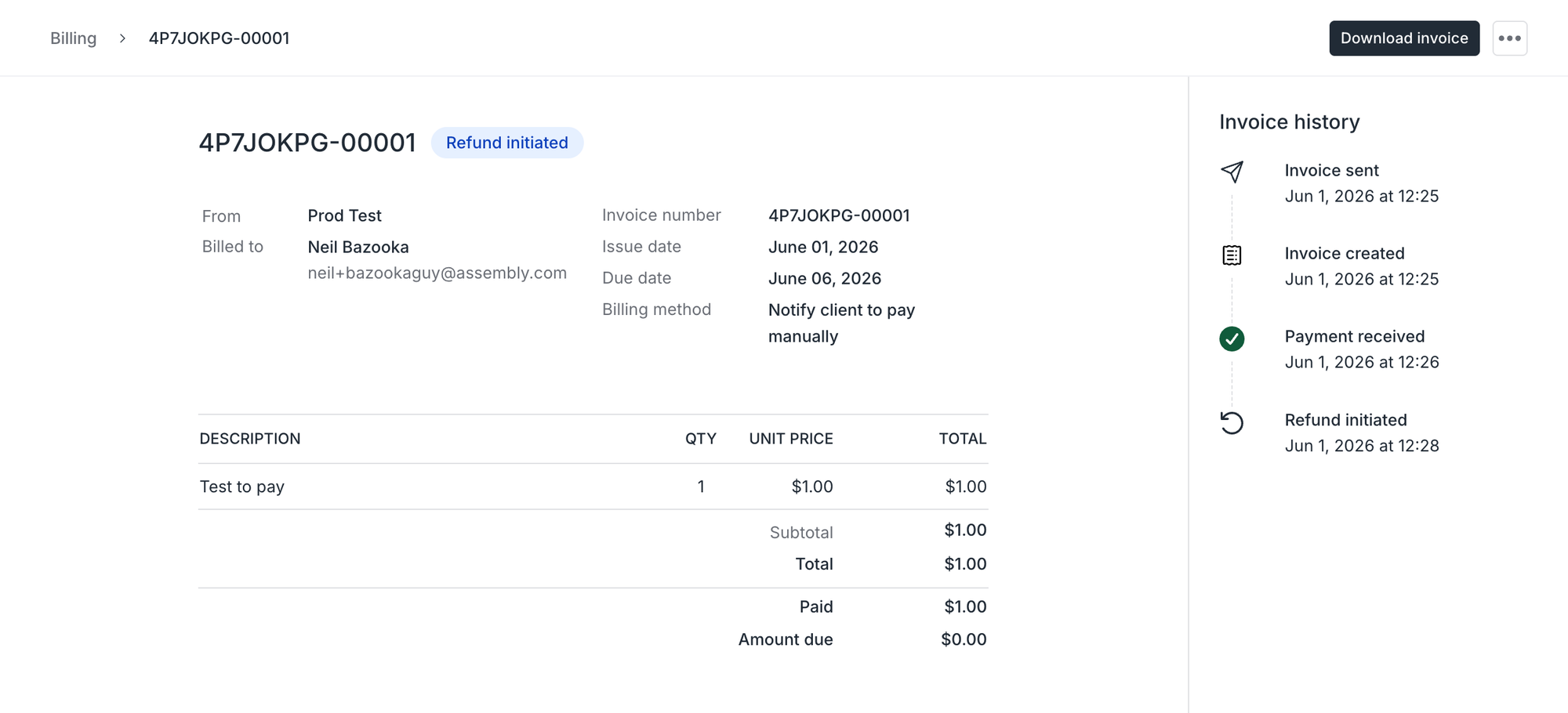
In the Payments App, you can now refund paid invoices in two clicks. Click the refund action on the invoice row (or the invoice detail page), confirm the amount, and the refund is initiated. The invoice updates to a new "Refund initiated" status while we process it, then flips to "Refunded" when complete. You and your client get an automatic notification and an updated receipt. The refund lifecycle shows up on the invoice's history timeline and on the audit log.
For now, refunds are for full amounts only; partial refunds are coming soon. Refund activity doesn't yet sync to QuickBooks or Xero — that's also on the way.
A refreshed way to add apps
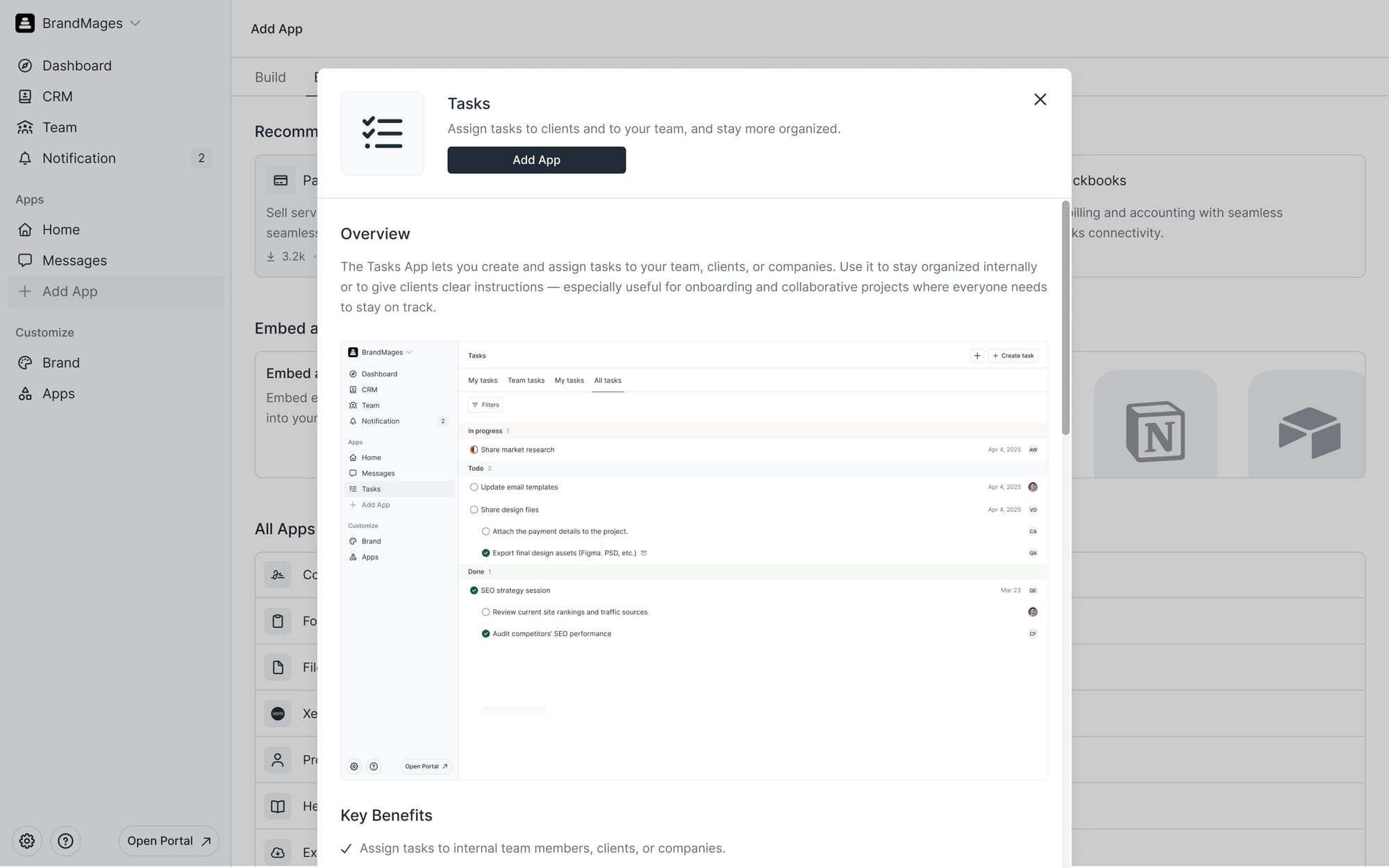
We redesigned the Add an App experience so it’s simpler and faster. When adding a new app, you’ll now see a section with app recommendations, a section to add your custom embeds and links, and a list of the popular embeds in our platform.
Grouped email notifications for Tasks
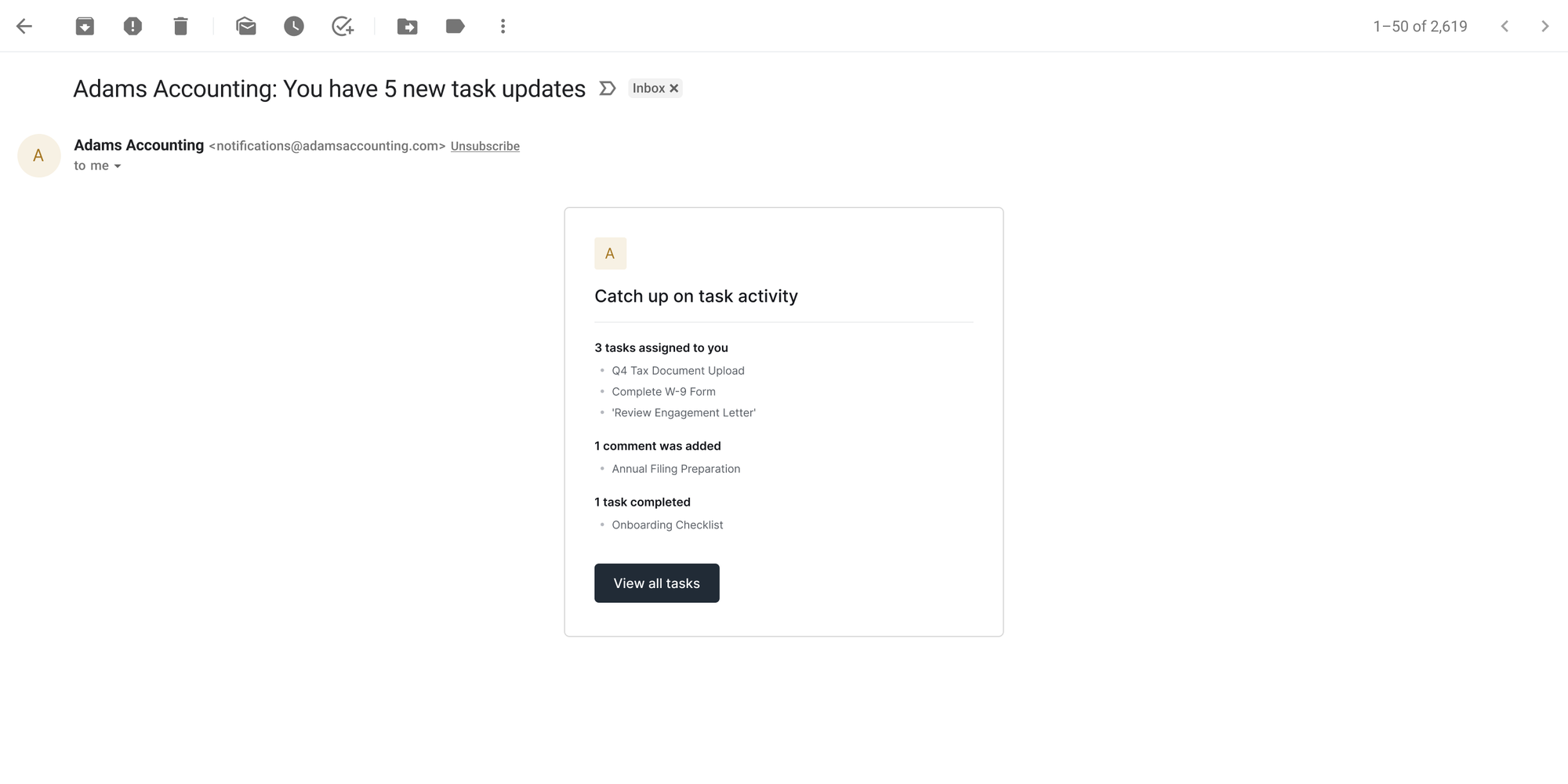
Clients now receive one summary email notification for tasks activity in a 5-minute window, rather than individual notifications for each. The summary covers everything that happened in that window — tasks assigned to a client, tasks shared with them, and new comments on their tasks. Reminder emails continue to send separately, so nothing time-sensitive gets buried. The same grouped notification experience is coming to your internal team next.
Improvements & Fixes
- In the Contracts App, added a checkbox field, bringing the app closer to parity with tools like DocuSign and PandaDoc for explicit acknowledgements and consent.
- In the Tasks App, internal users can now control client-facing default display settings, and we refined task-related copy throughout the app.
- In the Messages App, you can now paste rich text into the Mass Direct Message field, matching formatting behavior elsewhere in messaging.
- In the CRM, you can trigger a company-level password reset for your companies.
- In the Notification Center, the sidebar now stops loading notification counts past 100 to keep workspaces with high notification volume responsive.
- When creating a core app, you're now taken directly to the new app instead of back to the apps list.
- The email notification API now supports rich text rendering, so apps calling
createNotificationcan send formatted email bodies instead of plain strings. - In the Payments App, clients can now click on invoice line items to see a preview of their invoice details. This new behavior mirrors the view your team sees internally.
- In the Payments App, fixed a bug where a client could be charged twice for the same invoice under certain conditions.
- In the Payments App, fixed a case where the payment modal stayed open after a payment method was successfully added.
- In the Payments App, fixed an issue where subscription items with associated images couldn't be edited by some internal users.
- In the Contracts App, fixed a bug where a placed component's position couldn't be changed afterward.
- In the Contracts App, fixed a duplicated text label in the checkbox signature component.
- In the CRM, fixed excess companies being created during some bulk imports.
- In the CRM, fixed manual field mapping not working when an auto-matched field was absent during import.
- In Automations, fixed a bug where the page occasionally failed to load contract templates.
- In the Notification Center, fixed cases where a single notification appeared multiple times, and where company-switcher notifications behaved incorrectly.
- In the Messages App, fixed unread messages being marked as read immediately on opening the app in some cases.
- In the Tasks App, fixed unshared client task comments appearing in email notifications, and fixed in-product notifications not appearing or disappearing in real time when a task's status changed.
- Fixed an error when creating a note with only a title.